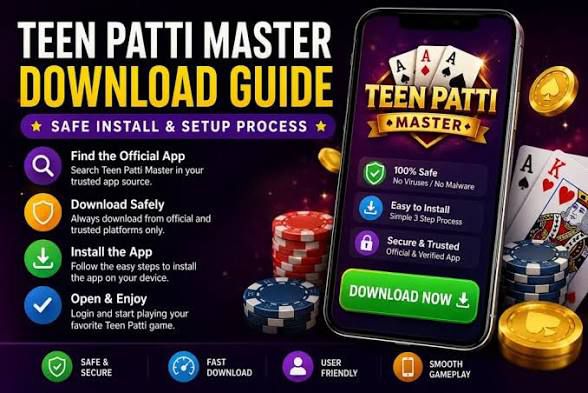
Getting started with Teen Patti Master takes just a couple of minutes. Whether you prefer the official app stores or a direct APK install, this guide walks you through downloading and installing the latest Teen Patti Master APK safely on your Android device.
What is an APK?
APK stands for "Android Package Kit" — it is the file format Android uses to distribute and install apps. Downloading the Teen Patti Master APK directly lets you install the app even in regions where it may not appear in store search results, and ensures you always have access to the newest version straight from the source.
Before You Begin
- Make sure you have a stable internet connection.
- Free up at least 200 MB of storage space.
- Use an Android device running version 5.0 or higher.
- Only download from the official Teen Patti Master website.
Method 1: Direct APK Download (Step by Step)
- Visit the official Download page. Open the Teen Patti Master website and head to the Download section.
- Tap "Download APK." The latest signed APK file will begin downloading to your device.
- Allow unknown apps. When you open the file, Android may ask permission to install from your browser. Go to Settings, enable "Install unknown apps" for that browser, then return.
- Tap Install. Confirm the installation and wait a few seconds for it to complete.
- Open and play. Launch Teen Patti Master, claim your welcome bonus and join your first table.
Staying Safe During Download
Your security matters. Follow these rules to keep your device and account safe:
- Only use official links. Avoid random third-party mirror sites that may bundle modified or malicious files.
- Check the file size. A drastically different file size can indicate a tampered APK.
- Keep the app updated. Updates patch security issues and add new features.
- Never share your login credentials. Teen Patti Master staff will never ask for your password.
Troubleshooting Common Issues
Installation blocked? Enable "Install unknown apps" for your browser in Settings > Apps > Special access. Not enough storage? Clear cache or remove unused apps to free space. App won't open? Restart your device and ensure your Android version meets the minimum requirement.
Ready to Play
That's it — you now have the latest Teen Patti Master APK installed and ready to go. Claim your daily bonus, explore Teen Patti, Rummy, Slots and Chicken Road, and start your winning journey. For the safest experience, always return to the official Download page whenever a new version is released.